
Scheduling and reminders
One calendar for the front desk, the patient and the phone.
Providers' hours, visit types and open times in one place. Reminders go out when you choose, patients confirm or move their own visits, and every change lands on the same calendar.
The calendar
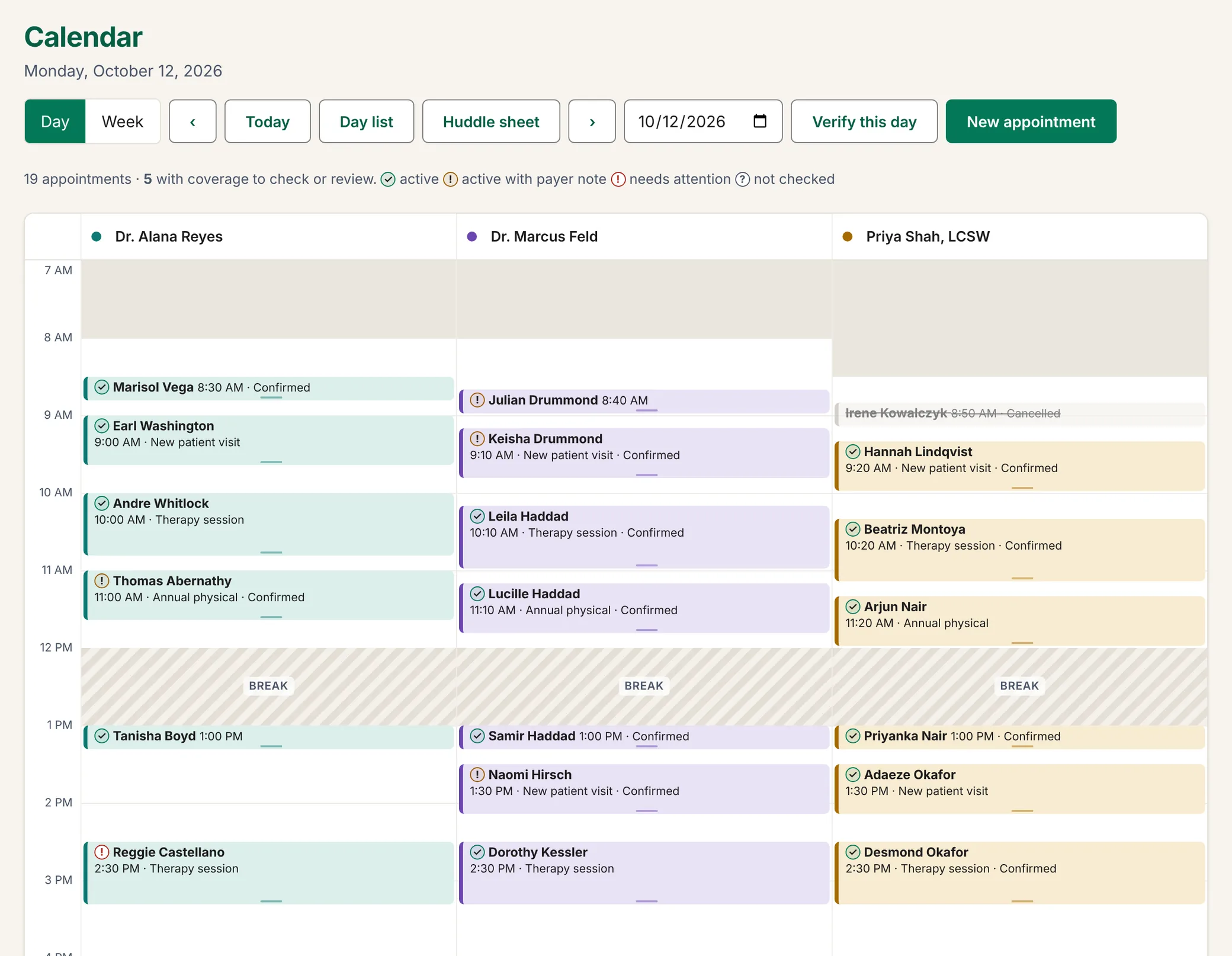
Each provider has a column, a colour and a working week. The calendar shades the hours they are out, their break and their time off, so an open time is one the provider can actually keep.
- A day view with a column for each provider, and a week view with a column for each day. Each visit shows the patient and the time, a coverage mark while the visit is still on, and its status once it is confirmed, arrived, completed, cancelled or a no-show. Visits of 30 minutes or more show their type as well.
- Visit types with their own lengths: a 20-minute follow-up, a 40-minute new patient visit.
- Booking offers open times only, and Next available finds the chosen provider's earliest one.
- Drag a visit to move it, or pull its edge to make it longer.
- Time off as a date range, and closures and holidays for the whole practice. Visits already booked inside one are counted for you to move. Nothing is cancelled automatically.
- Booking the same patient twice at the same time brings up a warning that names the other visit.
- The day as a printable list for the morning huddle, and a provider's whole day cancelled together when someone calls in sick.
The front desk books open times. A practice manager can book outside the schedule after confirming, and the visit records that they did.
Reminders
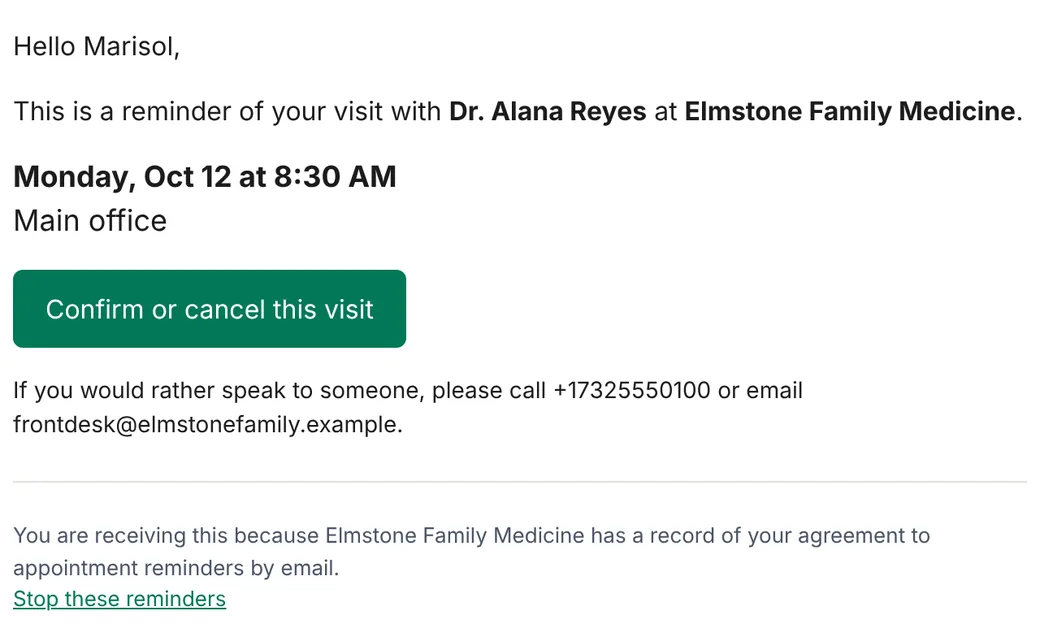
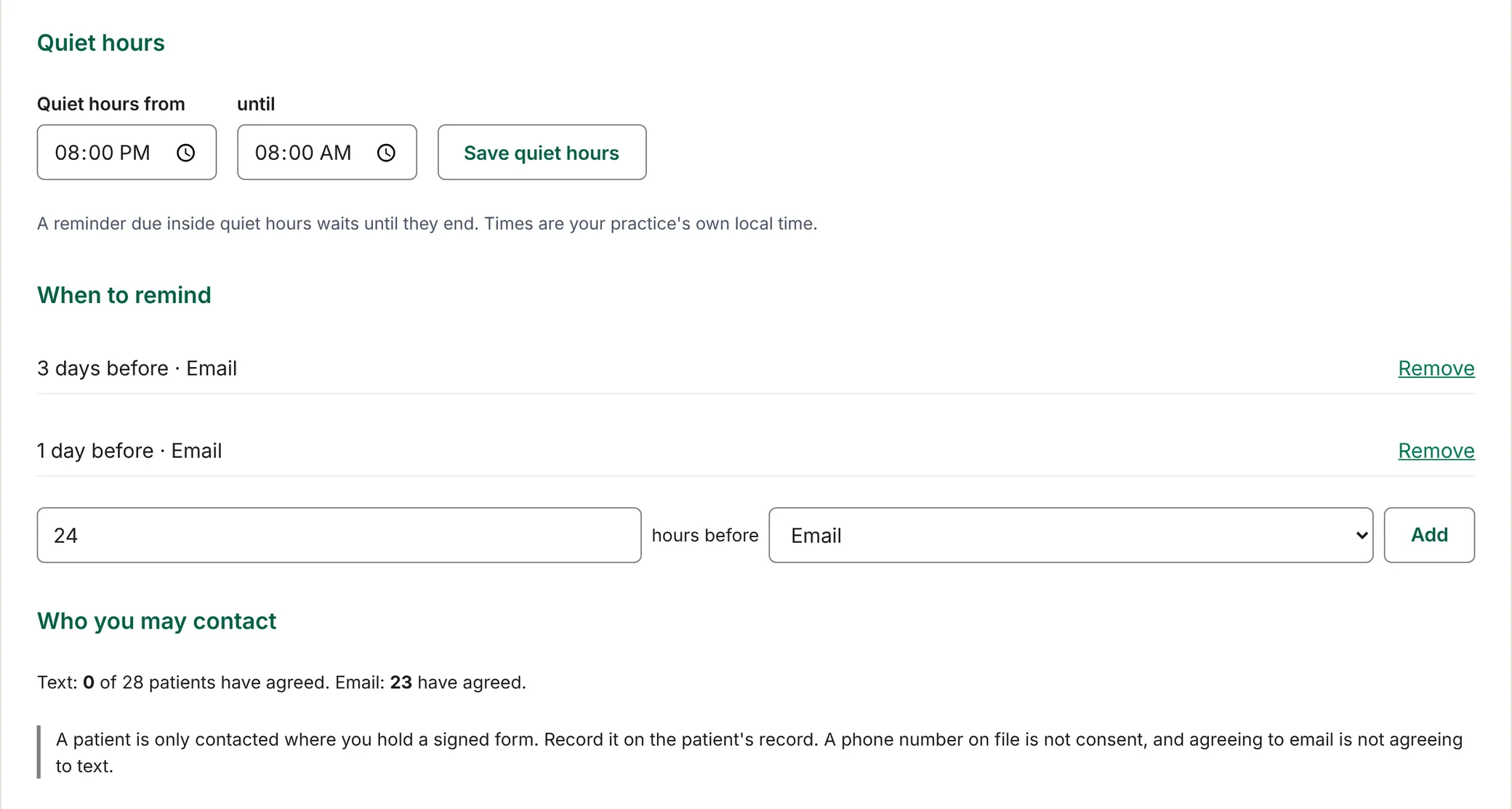
You decide when a reminder goes: a week before, a day before, two hours before. Up to three for each visit, in your practice's own time zone.
- Quiet hours. A reminder due during quiet hours waits until they end. If that would be no earlier than the visit itself, it is not sent, and the visit's reminder list says why.
- Only patients who have agreed. Agreement is recorded for each patient and each channel, with the date of the signed form, and it is checked again at the moment of sending.
- In your practice's name. The reminder is sent under your practice's name and tells the patient how to reach you: your phone number, your email address, or both.
- They follow the visit. Move a visit and its reminders move with it. Cancel it and they stop.
- A way to stop them, every time. Every email reminder carries a link to stop them. It needs no account, and one press on the page it opens stops them at once. An address that permanently bounces is not written to again.
- Nothing hidden. You see what is scheduled, what was sent and delivered, and what was not sent, with the reason where there is one.
Text reminders
Text reminders come from a phone number registered to your practice alone, so a patient sees your number and not a shared one. We register it with the mobile carriers for you.
- A patient agrees to texts separately from email. A phone number on file is not agreement.
- No more than about two text reminders for each visit.
- A patient replies STOP to stop them and HELP for help. Message and data rates may apply.
- Until your number is registered, your reminders go by email.
What patients are told is in the text message terms, and how mobile numbers are handled is in the privacy policy.
Patients change their own visits
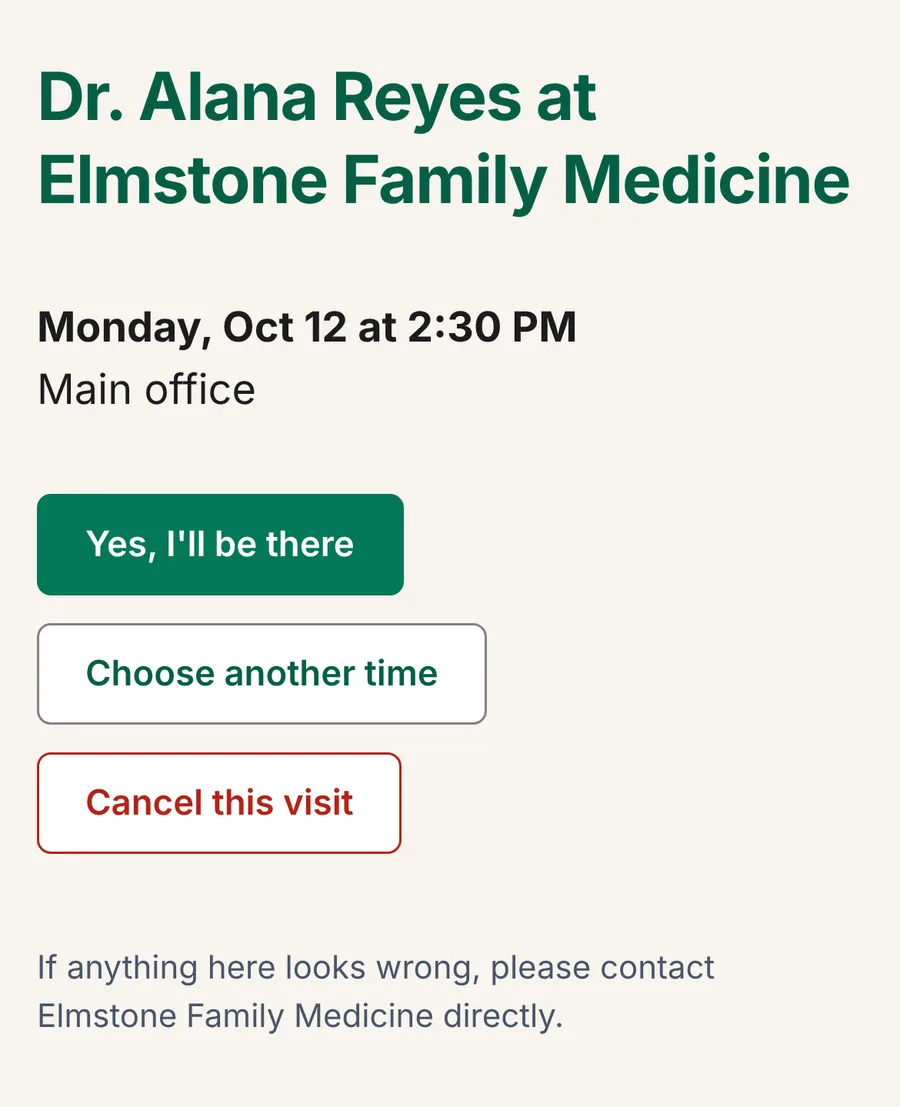
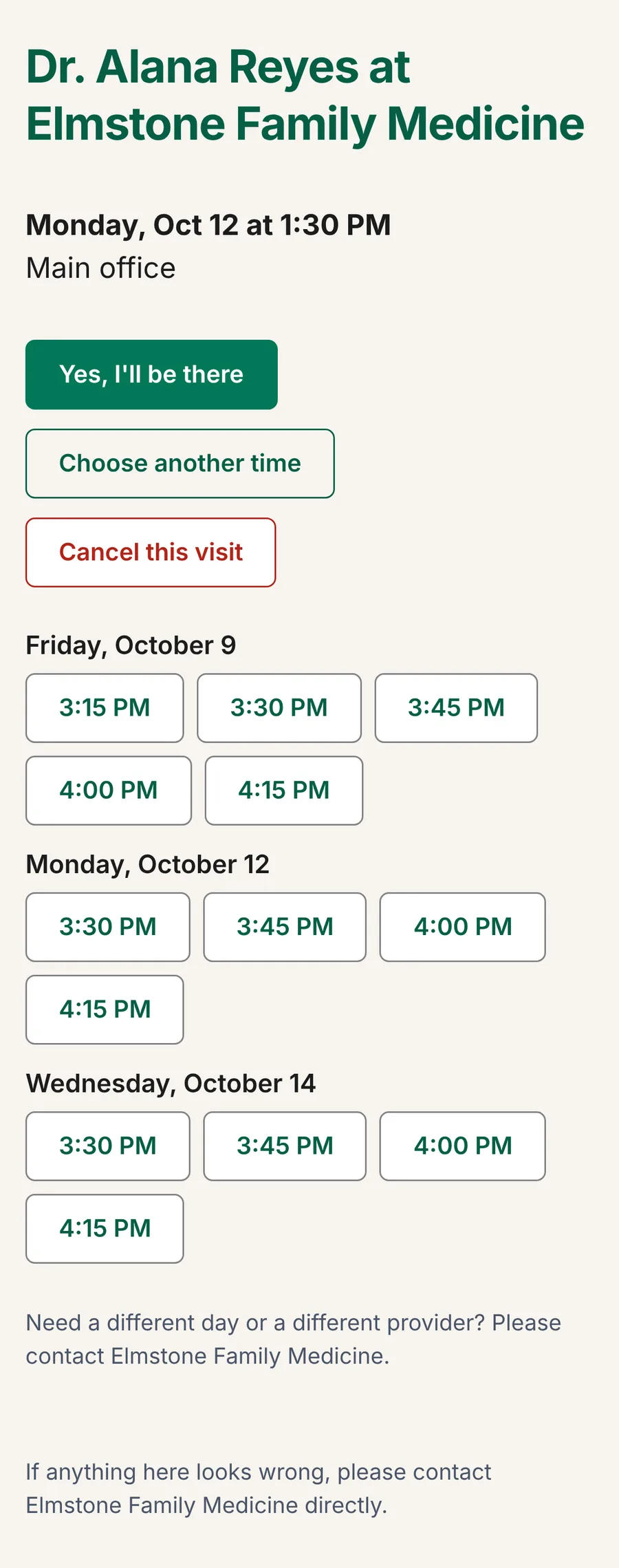
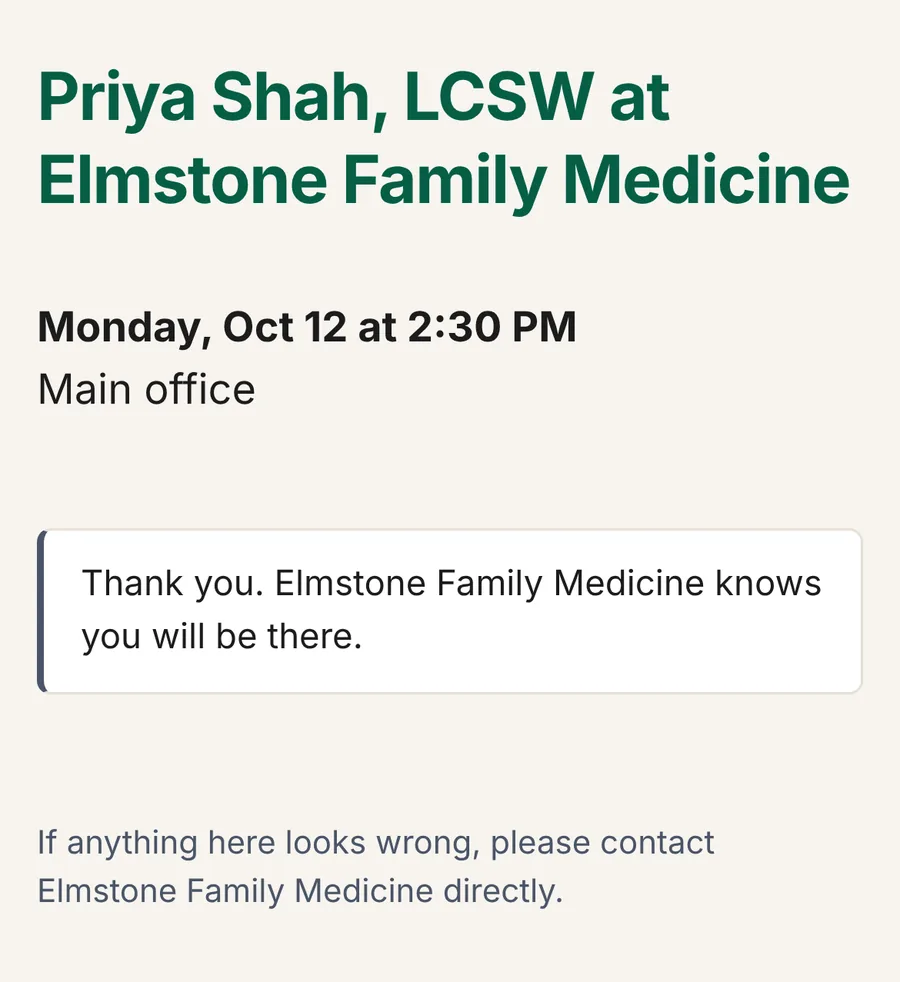
Every reminder carries a link to the visit. The patient needs no account and no password, and the link stops working when the visit starts.
- Yes, I'll be there. The visit is marked confirmed at once.
- Choose another time. The page offers a short list of the same provider's next open times: up to six a day, on up to three days in the next two weeks, by your own booking rules. The patient picks one and the visit moves.
- Cancel this visit. The time opens up for someone else.
And the visit remembers
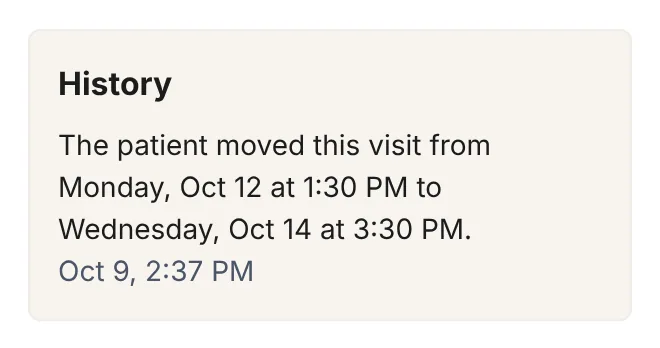
Every change is written on the visit: who made it, what changed and when. Nobody has to ask who moved it.
Common questions
Do patients need an app or an account?
No. The reminder is an email, and the link in it opens an ordinary web page. There is nothing to install and no password.
Can a patient book a new visit online?
Not from a web page today. A patient can confirm, move or cancel a visit they already have. New visits are booked by your front desk, or by the voice agent on the phone.
What happens when a provider is out?
Add the time off and the calendar stops offering it. Visits already booked inside it stay booked and are counted, so you can move them on the calendar, or cancel them together from the day list. Nothing is cancelled for you.
How do we record that a patient agreed to reminders?
On the patient's record: the channel, and the date of the signed form you hold. A patient who uses the stop link is recorded as withdrawn, and the record keeps the history.
Which time zone do reminders use?
Your practice's own. Reminder times and quiet hours follow the location's time zone.
Talk to us
Book a 20-minute look. Tell us how many providers you have and what your front desk spends its day on. We will show you the app with a sample practice and answer what you ask.
- support@elleryhealth.net
- Phone
- (732) 444-7364
- Hours
- Monday to Friday, 9:00 am to 5:00 pm Eastern